
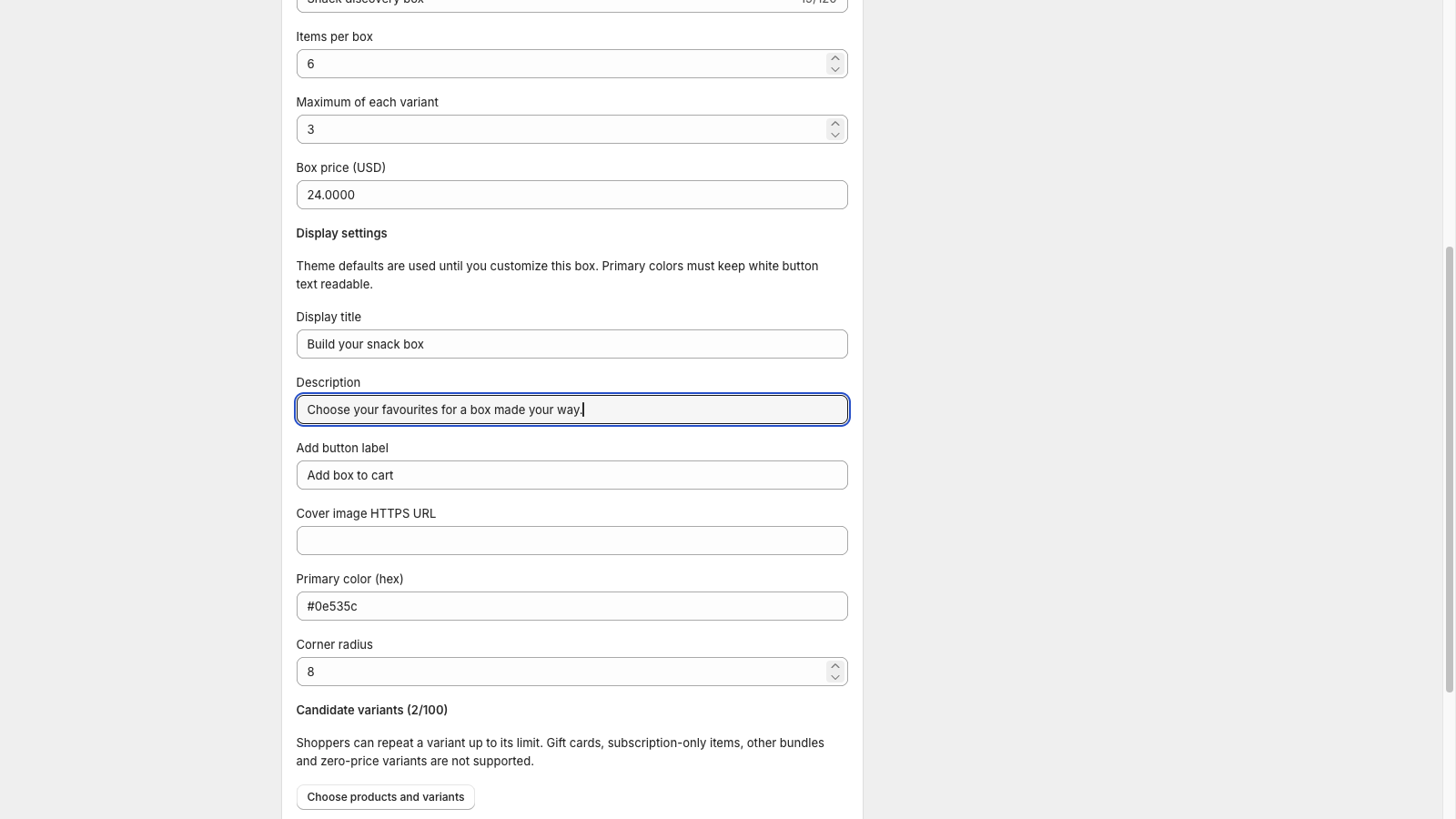
A build your own box Shopify offer lets the shopper choose items inside rules you set—usually a required item count, a candidate list, and often a single fixed box price. You configure those rules; the storefront picker shows progress; checkout must still expand or validate components so inventory stays accurate. That is the shape of a shopper-picked gift box, not a locked starter kit.
tnova: Build Your Own Box is a Shopify app for fixed-price, shopper-picked gift boxes. It is currently in Shopify App Store review, so public installation is not available yet. Online Store only; no POS.
Build your own box vs fixed bundle
On Shopify, a bundle is a set of two or more related products sold together. Shopify’s Help Center describes three types: fixed, multipack, and mix-and-match (product bundles, as of 2026-10-27).
A fixed bundle locks the component list in advance. Shoppers may still pick variants of those locked products, but they do not compose the set from an open candidate pool. A multipack is more than one of the same product. A build-your-own / shopper-picked gift box maps to mix-and-match: interchangeable products, where the customer composes the set within rules you define.
That distinction matters for tooling. The free Shopify Bundles app covers fixed and multipack. For mix-and-match, Shopify points merchants to third-party App Store apps or, on Plus, custom Bundles APIs (eligibility and considerations, as of 2026-10-27). A longer comparison of locked SKUs versus shopper-picked boxes is in fixed bundles vs mix-and-match gift boxes.
When merchants search for build a box Shopify or custom gift box Shopify, they often want the shopper-picked model: one gift story, one price, and a picker that enforces count and limits. That is the model this guide walks through.
How the shopper experience works
From the shopper’s side, a Shopify build a box flow is usually four steps.
See the candidates
The product page presents the box offer and a curated list of variants they may choose from. The list should read as one gift when every slot is different—not as “everything we sell.” Clear titles, readable variant names and packaging-fit constraints help shoppers decide without opening every product page.
Pick within count and limits
The shopper selects items until they hit the required item count. Per-variant limits stop one cheap SKU from filling every slot. If a selection breaks a rule, the picker should refuse the add or show why the box is incomplete before cart.
See remaining progress
A useful picker shows selected count versus remaining slots. Shoppers should know how many items they still need, which variants they already chose, and whether they can change a pick before they leave the page.
Add the box to cart
When the box is complete, the shopper adds one box line at the fixed box price. Downstream, cart and checkout must still expand or validate the real component lines so stock, taxes and packing stay accurate. If something fails at cart, see troubleshooting a gift box picker and cart.
That storefront path is what merchants mean by build your own box on Shopify in practice: rules first, then a picker that makes progress visible, then a cart that still knows which components were chosen.
What the merchant configures
The shopper only sees the picker. You decide the rules that make the offer safe to sell.
Candidate variants
Curate a pool that still feels like one gift. Theme, packaging size and stock buffer all constrain the list. A pool that is too wide slows pick time and breaks the gift story; a pool that is too narrow frustrates shoppers who want a real choice.
Item count and per-variant limit
Set how many item units belong in one box and how many times one variant may appear. Without a required count, boxes become incomparable for packing and shipping. Without per-variant limits, margin and assortment collapse toward the cheapest SKU.
Fixed box price
Price the box as one amount shoppers see before they open the picker, not as a running sum of component retail prices. That is a fixed-price gift box. Planning steps for that model are in how to plan a fixed-price gift box on Shopify. Use your own unit costs and a cost ceiling; do not invent average margins for this decision.
Picker text and appearance
Heading, short description, button labels and accent colour should match the gift story on the product page. Shoppers should understand the required count and the fixed price before they start picking.
Scope note if you evaluate tnova
If you evaluate tnova: Build Your Own Box after it opens for installation, the stated product scope includes: boxes of 2–12 item units; up to 100 candidate variants per box; default market and currency only; one shared online fulfillment location; Online Store (no POS). Pricing on the site is one plan at $19.90 USD per store per month with a 30-day trial when installation opens—no free plan. The price does not rise with box sales. Public installation is not available yet while the app is in review.
Cart, theme, and Online Store scope
A build-your-own offer is only as reliable as the theme path that carries it into cart and checkout.
Online Store only for tnova
tnova publishes box products to the Online Store. There is no POS extension. If your team sells at retail through Shopify POS, plan a different path for those channels; do not assume the same picker appears at the register.
Theme and cart drawer
Test the picker and cart path on the theme you actually run before you publish. Cart editing and recovery behaviour varies by theme. A step-by-step theme check is in how to test a Shopify gift-box theme integration before publishing.
If you mention a cart drawer, verify it on that theme first. tnova’s cart drawer (Drawer mode) has been QA-verified on Dawn only, not on every theme. Never treat one theme result as “works on all themes.”
Inventory and checkout validation
Shopify bundle inventory is driven by component inventory; the lowest complete set limits how many bundles you can sell. For a shopper-picked box, plan component stock against the combinations you allow, and make sure the pick list on each order names the exact variants. Rules should be rechecked before cart and at checkout so incomplete or over-limit boxes do not become paid orders.
Checklist before you publish a BYOB offer
Use this as a pre-publish pass, not as marketing copy.
| Check | Why it matters |
|---|---|
| Cost ceiling | Know the highest unit-cost mix your fixed price can absorb |
| Candidate pool | Fits packaging, gift story and stock buffer |
| Item count + per-variant limits | Keeps boxes packable and margin-safe |
| Fixed box price | Shoppers see one amount before they pick |
| Theme / cart path | Picker, add-to-cart and edit/recovery tested on your theme |
| Stock buffer | Component inventory can cover allowed combinations |
| Packaging fit | Worst-case mix still fits the physical box |
| Test order | One full order from picker through packing slip |
| Accessibility | Keyboard and screen-reader path through the picker |
| Refund / exchange policy | Partial component returns decided before Peak Week |
Walk the theme test and a real test order before you put the offer on a paid traffic campaign. The picker can look finished on a draft product page and still fail when the cart theme or packing slip is involved.
FAQ
What does build your own box mean on Shopify?
It usually means a shopper-picked gift box: the customer chooses items from a candidate pool you curate, inside a required item count and any per-variant limits you set, often at one fixed box price. On Shopify’s bundle types, that maps to mix-and-match rather than a locked fixed bundle or a multipack.
Do shoppers pay for each item or one box price?
For a fixed-price build-your-own gift box, shoppers pay one box price for the completed set. Component retail prices are not summed into a running cart total for the offer itself. You still need accurate component lines for inventory, taxes and packing after the box is added.
Which sales channels support it?
Channel support depends on the app and how you publish the box product. For tnova: Build Your Own Box, scope is Online Store only—no POS. Always confirm channel support for the specific tool you install, and test the storefront path on your live theme.
Is public installation of tnova available yet?
No. tnova: Build Your Own Box is currently in Shopify App Store review. Public installation is not available yet, and this article does not include an install link. When installation opens, pricing on the site is one plan at $19.90 USD per store per month with a 30-day trial—no free plan.
What should I decide before I launch a custom gift box Shopify offer?
Lock the candidate pool, item count, per-variant limits, fixed box price, cost ceiling, packing path and refund rules. Then verify theme integration with a test order. Tooling comes after those operator decisions—not before them.
See a gift box in action
Try the sample picker with fictional products. It creates no cart or order.
Try the box builder