
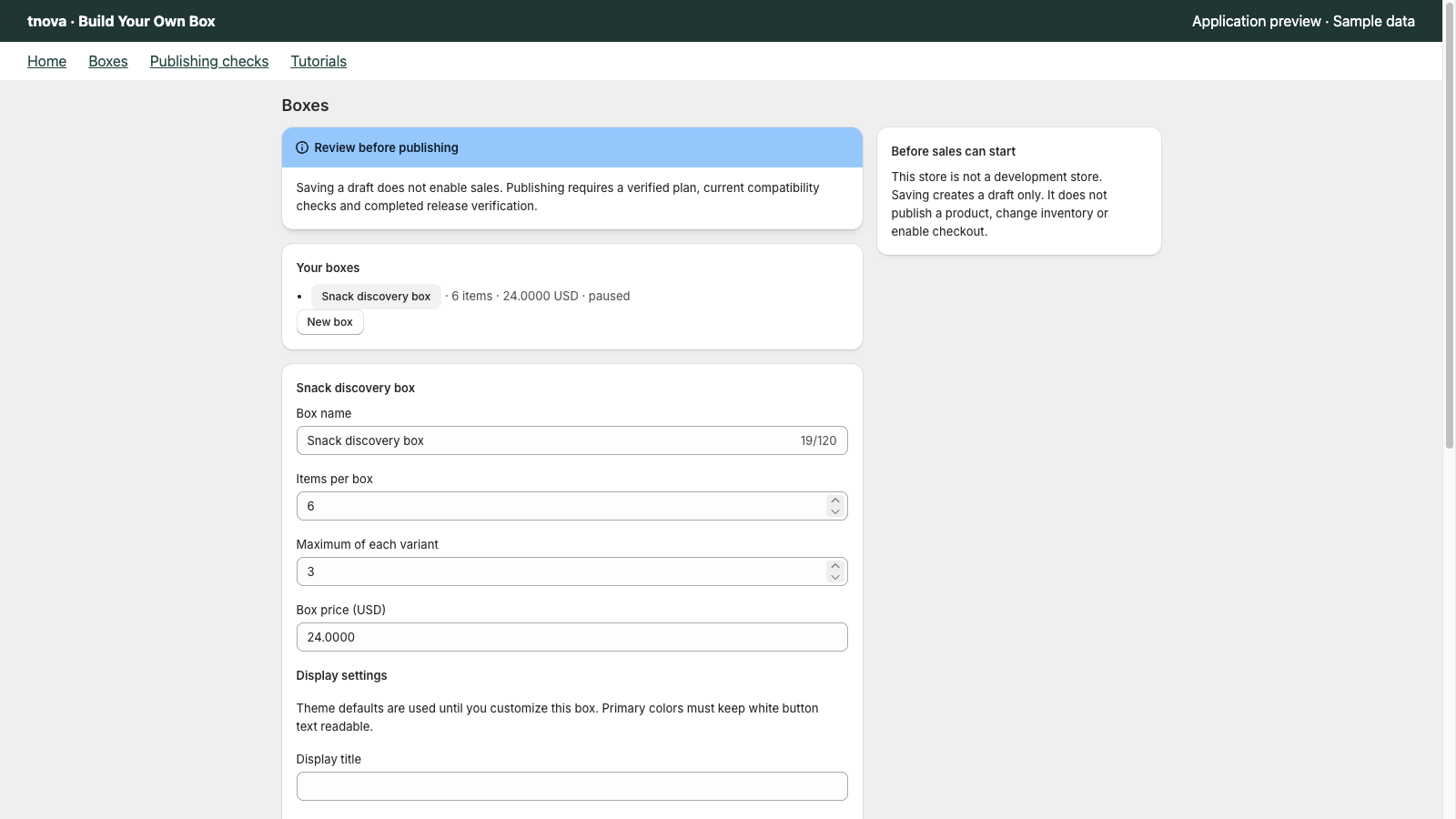
A fixed-price gift box lets a shopper choose a defined number of items while seeing one price for the completed box. Start with the selection promise and the products that can fulfill it, then check the complete purchase path before selling.
This is a planning guide for tnova’s fixed-count, mix-and-match model. All quantities and product names below are illustrative. The sample demo creates no cart or order, and a successful demo does not confirm that a particular store is ready for live sales.
Define one clear purchase promise
Write the offer in a sentence: “Choose six items from this selection for one box price.” Keep the total item count separate from the number of different products. Six items might include repeats, depending on the limits you configure.
Avoid describing a subscription, a weighted box or an unlimited selection if you are using a fixed-count configuration. The product page, picker and cart need to describe the same purchase.
Choose the candidate variants
Use the actual Shopify variants that represent the items you intend to pack. Give each a clear name and image. Different sizes or flavors should remain distinguishable so the selected variant can be identified during fulfillment.
For an illustrative six-item snack box, start with a small candidate pool. Check that each candidate belongs in the offer, has the intended inventory setup and can be supplied from the fulfillment location used by the configuration.
Check inventory and fulfillment readiness before building a large candidate pool.
Set counts and repeat limits
An overall count sets how many items complete the box. A per-variant limit sets how many times one candidate may appear. If your offer is six items with up to two of one flavor, those are two separate rules.
Try a valid selection and an invalid one. The valid selection must reach the exact total; the invalid selection should explain which rule prevents it. Do not depend on a product description to enforce a rule that affects checkout.
See the selection-rule examples.
Choose a price you can support
Set the price from your own merchandise, packaging and operational costs. An illustrative box price in a screenshot is not a recommendation for your store.
Consider the most expensive allowed combination, including repeats. If that combination makes the offer unsuitable, change the candidate pool or limits before promising the price. Keep discounts, taxes and shipping assumptions separate from the displayed box price, and test the applicable checkout behavior.
Prepare the product-page experience
Use a plain title and a short explanation of the count, repeat rules and price. Place the picker where shoppers can find it. tnova’s display settings let you adjust the supported picker text and appearance controls; they do not establish compatibility with every theme or cart customization.
On mobile, check that product names, the remaining count and the completion action can be understood without relying on the screenshot’s small text.
Verify before inviting shoppers
- Confirm the configuration’s readiness checks and current eligibility.
- Test incomplete and complete selections.
- Inspect the cart for the exact selected variants and quantities.
- Exercise the supported edit-and-reconfigure path.
- Complete the required store-specific checkout checks before live sales.
If a check fails, retain the configuration and fix the reported cause. Publishing a configuration is not evidence that every selling requirement has passed.
Explore the sample
The interactive tnova demo shows the selection mechanism using fictional products. Use it to understand the customer experience, then verify your own products and store separately.
For platform background, see Shopify’s product bundle guide.
See a gift box in action
Try the sample picker with fictional products. It creates no cart or order.
Try the box builder