
Holiday gift box ideas work best when you pick one clear theme, a tight candidate list that fits that theme, and a fixed box price shoppers understand. Size ladders and Peak Week calendars are separate decisions—use the linked guides for those; this article stays on themes and assortment. The goal is a seasonal box shoppers can fill with products that feel like one gift, not a random shelf dump.
tnova: Build Your Own Box is a Shopify app for fixed-price, shopper-picked gift boxes. It is currently in Shopify App Store review, so public installation is not available yet. Online Store only.
What makes a holiday gift box idea work on Shopify
A holiday gift box idea is not a mood board. On Shopify it has three parts you can ship:
- Theme — one sentence shoppers recognise (for example "cozy home night in" or "gourmet pantry staples").
- Occasion and buyer — Christmas gift for someone else, self-purchase before a holiday party, or a corporate thank-you. Self-buy and gift-buy often need different product pages or at least different copy above the picker.
- Assortment rules — a candidate pool small enough to pack, with a required item count and per-variant limits so every box still feels like the same offer.
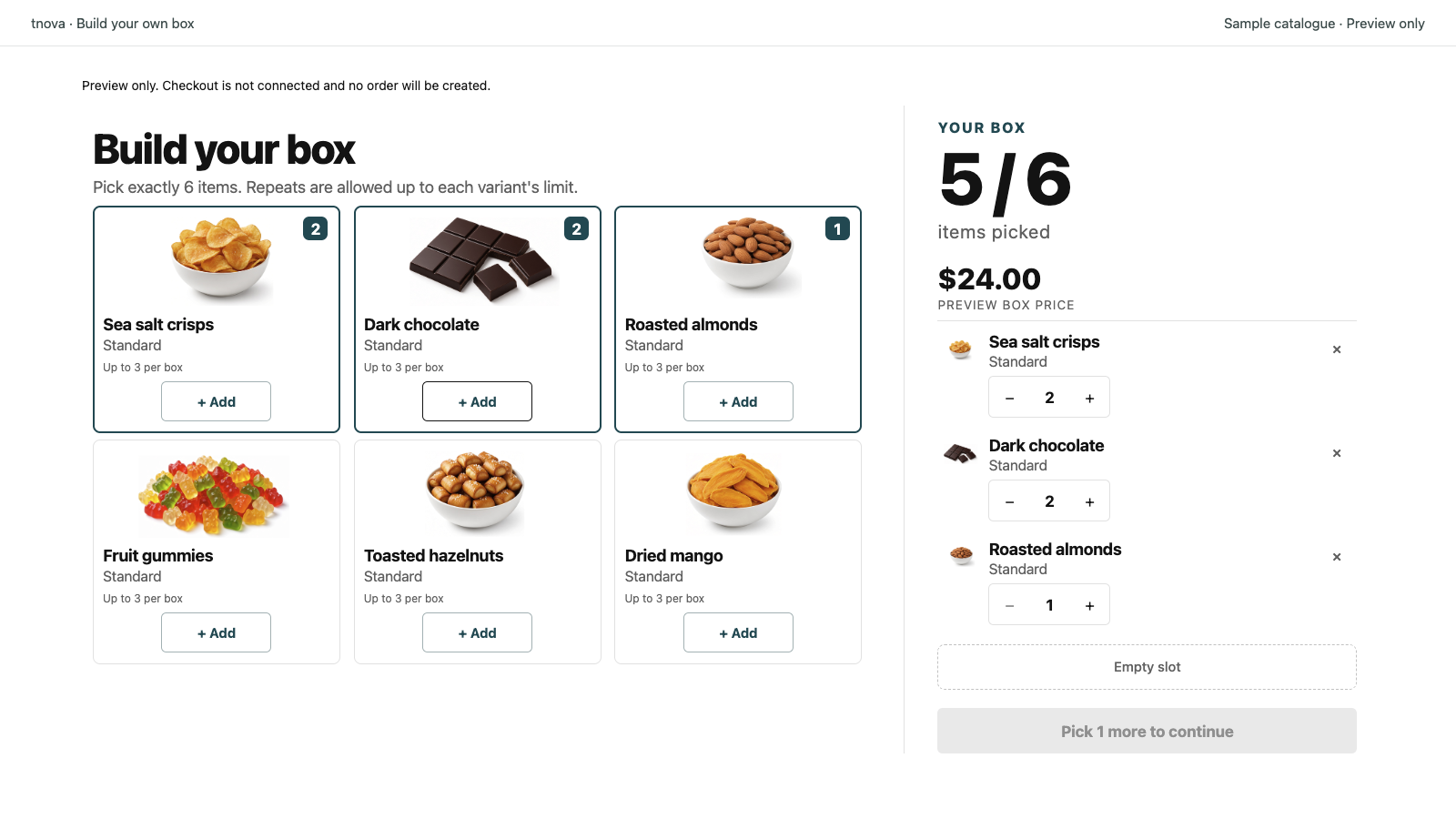
Keep the storefront promise simple: one box, one price, shoppers choose what goes inside within your rules. That is a fixed-price mix-and-match gift box, not a locked SKU bundle. If you are still choosing between a fixed bundle and a shopper-picked box, see fixed bundles vs mix-and-match gift boxes. This guide assumes you want shoppers to build the box.
Write the theme before you open the product admin. If you cannot say the theme in one line, the candidate list will sprawl and packing will suffer in December.
Holiday gift box themes that map to real SKUs
Use themes that map to products you already stock or can restock before your shipping cutoff. The table below is a planning aid only. It does not report sales results.
| Theme | Candidate pool (examples) | Leave out |
|---|---|---|
| Cozy home | Candles, socks, mugs, soft throws, small décor | Oversized furniture samples; open liquids that leak in transit |
| Gourmet pantry | Packaged sauces, spices, dry snacks, tea tins, chocolate bars | Fresh or refrigerated food; anything that needs a cold chain you do not run |
| Beauty / self-care | Mini skincare, bath soaks, lip balm, hair accessories | Full-size fragile glass sets that break the packaging fit |
| Kids / toys | Small toys, stickers, craft kits, books under a set weight | Items with age labels that conflict on one product page |
| Coffee / tea | Bags, tins, syrups, mugs, stirrers | Loose grounds that escape thin pouches; equipment that needs its own box |
| Desk / work-from-home | Notebooks, pens, desk organisers, cable clips, small plants (stable pots) | Heavy monitors or chairs sold as "gift add-ons" |
| Pet treats | Packaged treats and toys labelled for pets | Human food re-labelled as pet; any claim you cannot stand behind on the label |
For each theme, ask: would a stranger still recognise this as one gift if every slot were filled with a different variant from the pool? If the answer is no, cut the pool before you cut the price.
Christmas gift box ideas often sit inside one of these themes with seasonal packaging or copy ("for Christmas morning", "stocking-sized picks"). You do not need a separate theme called "Christmas" if "cozy home" or "gourmet pantry" already matches your catalogue; seasonal merchandising can live in the title, cover and collection page.
Build-your-own gift box ideas fail when the theme is "everything we sell". Seasonal gift box themes work when the pool is curated. For a deeper assortment pass, see how to curate a mix-and-match gift box assortment.
Building the candidate list for a seasonal box
Work in order. Skipping a step is how Peak Week creates out-of-stock swaps and oversize boxes.
- Lock the theme in one sentence on the draft product page.
- Shortlist SKUs that fit that sentence. Prefer variants you can restock or substitute without changing the theme.
- Remove fragile and out-of-stock risks. Drop glass that needs double boxing unless your pack station already handles it. Drop variants with thin buffer stock relative to expected box volume.
- Check packaging fit. Worst-case picks (bulkiest allowed combination) must fit the mailer or insert you will actually use. See how to test packaging fit for a mix-and-match gift box. Measure the tallest and widest allowed set on a packing table before you publish the offer.
- Set item count and per-variant limits. A short required count (for example 4, 6 or 9) keeps boxes comparable; per-variant limits stop one cheap SKU from filling every slot. How to set those rules is covered in set item counts and repeat limits for gift boxes—do not reinvent the ladder here.
Keep the candidate list short enough that staff can pick from memory on a busy day. A pool of dozens of near-duplicates slows pick time and dilutes the theme. Prefer fewer, clearer options.
Before you publish, walk one test order: pick a full box under the rules, pack it, label it, and confirm the storefront still matches what left the table.
Pricing the holiday box without inventing margins
Price the holiday box as one fixed price per box size (or per offer). Shoppers should see the box price before they open the picker, not a running total of component retail prices.
Use a cost ceiling so the worst-case legal selection still leaves you a margin you accept. The method is in calculate a mix-and-match gift box cost ceiling. This article does not invent average gift spend, conversion rates or "typical" holiday margins. Pull costs from your own unit costs, packaging and expected shipping band.
If you run a discount code for the season, keep the box price honest on the product page and let the discount apply at checkout. Shopify's discounts documentation covers code and automatic discount setup. Do not hide a temporary markdown inside a fake "holiday only" box price you cannot explain later.
Where size tiers and BFCM timing fit (and stop)
Themes and assortment are not size math and not a Peak Week calendar.
- For how many box sizes to offer and how to price a ladder, use gift box size tiers.
- For which weeks to draft, stock-check and publish before Peak Week, use the BFCM gift box timeline.
- For order-by dates shoppers can trust, use gift box shipping cutoff.
Shopify's BFCM checklist is a useful store-wide prep list; layer your gift-box theme and candidate work on top of it rather than treating the checklist as assortment advice.
Stop this article's scope at themes and the candidate pool. Do not expand size-tier pricing here—that guide already exists.
FAQ
How many holiday themes should one store run?
Start with one live theme per gift-box product unless you have separate packing paths. Extra themes on one picker confuse shoppers and staff. A second theme belongs on a second box product or a later drop, not as an unbounded pool.
Can shoppers mix items across themes in one box?
Only if you deliberately allow it in one candidate pool. Mixing cozy home and pet treats in the same box usually breaks the gift story. Prefer one theme per box product; run another theme as a separate offer.
When should a seasonal holiday box go live relative to BFCM?
Publish after the assortment, packaging fit and cost ceiling are checked, and early enough that shoppers can order before your shipping cutoff. Use the BFCM gift box timeline for week-by-week prep; this FAQ is not a substitute for that calendar.
Do I need a separate Christmas box and a general gift box?
Not always. If your Christmas gift box ideas are the same SKUs with seasonal copy and packaging, one mix-and-match offer with clear holiday merchandising is enough. Add a second box when the candidate pool or item count truly differs (for example a kids theme versus a gourmet pantry theme).
See a gift box in action
Try the sample picker with fictional products. It creates no cart or order.
Try the box builder