
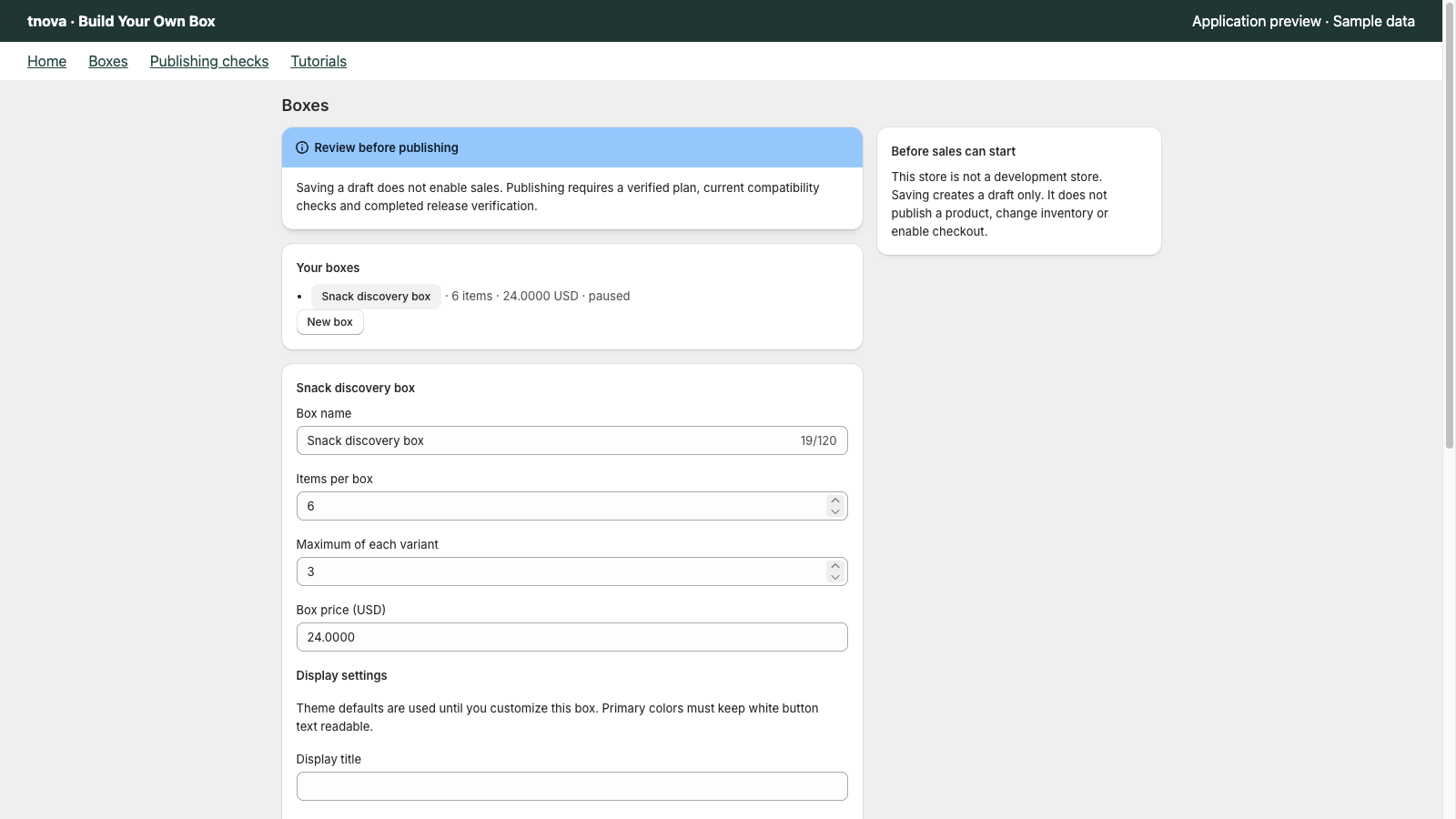
Shopify bundles mix and match starts with Shopify’s own docs: three bundle types—fixed, multipack, and mix-and-match. The free Shopify Bundles app covers fixed and multipack; for mix-and-match, Shopify points merchants to third-party App Store apps or (on Plus) custom Bundles APIs. A shopper-picked gift box is a mix-and-match use case, so plan tooling and rules accordingly.
tnova: Build Your Own Box is a Shopify app for fixed-price, shopper-picked gift boxes. It is currently in Shopify App Store review, so public installation is not available yet. Online Store only; no POS.
What Shopify bundles mix and match means for a gift box
On Shopify, mix-and-match is not a marketing slogan. In the Help Center it is a defined bundle type: a bundle made of interchangeable products, where the customer composes the set by choosing from the products and associated variants (eligibility and considerations, as of 2026-10-27).
A shopper-picked gift box usually maps to that type. You publish one box offer at one price. The shopper fills a required item count from a candidate pool you curate. You set per-variant limits so one cheap SKU cannot fill every slot. The packing table still needs a clear pick list for every order.
That is different from a fixed bundle, where the merchant locks the component list in advance (shoppers may still pick variants of those locked products). It is also different from a multipack, where the bundle is more than one of the same product. For a longer comparison of locked SKUs versus shopper-picked boxes, see fixed bundles vs mix-and-match gift boxes.
When merchants search for Shopify bundles mix and match, they often already know the free Shopify Bundles app exists and wonder why the gift-box picker they imagined is missing. The answer starts in Shopify’s own docs, not in App Store review quotes.
What Shopify Bundles covers (Help Center)
Shopify’s product-bundles overview explains that a bundle is a set of two or more related products, and that you need a bundles app installed to create them on your store (product bundles, as of 2026-10-27).
The eligibility page lists three types and what covers them (as of 2026-10-27):
| Bundle type | What it is (Help Center paraphrase) | Free Shopify Bundles app | Other paths Shopify lists |
|---|---|---|---|
| Fixed | Predetermined set of products and variants; shoppers may choose among associated variants | Yes | — |
| Multipack | More than one of the same product | Yes | — |
| Mix-and-match | Interchangeable products; customer composes the bundle | No | Third-party App Store bundle apps; or Shopify Plus + Bundles APIs |
Shopify states that if you want Fixed or Multipack bundles, you can use the free Shopify Bundles app, available on all Shopify plans. If you want Mix-and-match bundles, the same page lists two options: find a third-party bundle app in the Shopify App Store, or—if the store is on Shopify Plus—build a custom offering with Bundles APIs.
Under incompatibility considerations, Shopify also states plainly: “The Shopify Bundles app doesn't support mix-and-match bundles” (eligibility and considerations, as of 2026-10-27). That sentence is an official scope note, not a product review.
The dedicated Shopify Bundles help article describes the free first-party app as creating and editing fixed product bundles and multipacks from the Shopify admin, on all plans (Shopify Bundles, as of 2026-10-27). It also lists app limitations (component counts, options/variants, inventory tracking by overall stock rather than by location, and other constraints). Those limits matter when you evaluate a fixed or multipack offer; they do not turn the free app into a mix-and-match gift-box builder.
Keep the wording neutral. Shopify Bundles is the right tool when a locked set or multipack matches the offer. Mix-and-match gift boxes need a different path because the shopper chooses interchangeable products inside rules you define.
Decisions a mix-and-match gift box still needs
Choosing tooling is only the first step. A mix and match bundles Shopify offer still needs operator decisions that no Help Center table can make for you.
Item count and per-variant limits
Decide how many item units belong in one box (for example 4, 6 or 9) and how many times one variant may appear. Without a required count, boxes become incomparable for packing and shipping. Without per-variant limits, shoppers can fill every slot with the lowest-cost SKU. How to set those rules is covered in setting item counts and repeat limits for a gift box.
Fixed box price
Price the box as one amount shoppers see before they open the picker, not as a running sum of component retail prices. That is a fixed-price gift box. Planning steps for that model are in how to plan a fixed-price gift box on Shopify. Use your own unit costs and a cost ceiling; do not invent average margins or conversion rates for this article.
Candidate pool
Curate a pool that still reads as one gift when every slot is different. Theme, packaging fit, and stock buffer all constrain the list. A pool that is “everything we sell” breaks the gift story and slows pick time.
Cart and theme checks
Test the picker and cart path on the theme you actually run before you publish. Cart editing and recovery behaviour varies by theme. If you mention a cart drawer, verify it on that theme first—tnova’s cart drawer (Drawer mode) has been QA-verified on Dawn only, not on every theme.
Stock, packing, and refunds
Bundle inventory in Shopify is driven by component inventory; the lowest complete set limits how many bundles you can sell. For a shopper-picked box, plan component stock against the combinations you allow, and make sure the pick list on each order names the exact variants. Refunds and exchanges need a clear policy for partial component returns—decide that before Peak Week, not after the first ticket.
None of these decisions replace Shopify’s eligibility rules. They sit on top of them once you have chosen a path that supports mix-and-match.
Options merchants typically evaluate
Merchants evaluating Shopify bundles mix and match usually land in one of three paths. This is a map, not a ranking.
Stay on fixed or multipack with Shopify Bundles
If the offer is a predetermined set (for example a known starter kit) or a multipack of one SKU, the free Shopify Bundles app matches that scope. Shoppers may still choose variants of the locked products. You keep admin workflows inside Shopify’s first-party app and accept its documented limitations.
Shopify Plus and Bundles APIs
Shopify lists a custom build with Bundles APIs for mix-and-match when the store is on the Shopify Plus plan. That path is for teams that will own engineering, maintenance and storefront UX. Mention Plus only as Shopify states it; it is not required for every mix-and-match store—third-party apps are the other listed option.
Third-party app for shopper-picked boxes
Shopify points mix-and-match merchants to third-party bundle apps in the App Store. One example aimed at fixed-price shopper-picked gift boxes is tnova: Build Your Own Box (currently in App Store review; no public install link). Product scope in brief: Online Store; fixed-price boxes with a required item count and per-variant limits; candidate pools up to the app’s stated caps; pricing is one plan at $19.90 USD per store per month with a 30-day trial when installation opens—no free plan. Do not treat this paragraph as a claim that tnova coexists with Shopify Bundles on the same products; coexistence is store-specific and untested for tnova.
When you compare options, read Shopify’s eligibility and incompatibility notes first, then test the storefront path you intend to ship. Avoid App Store star ratings and 1–2 star review quotes as evidence in this decision.
FAQ
Does Shopify Bundles support mix-and-match?
No. Shopify’s Help Center states that the Shopify Bundles app does not support mix-and-match bundles, and that Fixed and Multipack are what the free app covers (as of 2026-10-27). For mix-and-match, Shopify lists third-party App Store apps or, on Plus, Bundles APIs.
Is a build-your-own gift box the same as a fixed bundle?
No. A fixed bundle uses a predetermined set of products. A build-your-own / shopper-picked gift box lets the customer compose interchangeable products within rules you set (item count, limits, candidate pool). That maps to Shopify’s mix-and-match bundle type, not to a locked fixed set.
Do I need Shopify Plus for mix-and-match?
Not necessarily. Shopify lists two paths for mix-and-match: third-party App Store bundle apps, or a custom build with Bundles APIs on Shopify Plus. Plus is required only for that custom API path as Shopify describes it—not for every mix-and-match storefront.
Can I run Shopify Bundles and another bundle app together?
Coexistence is store-specific. Whether two bundling tools can share a catalogue without conflicting carts, discounts or inventory depends on how you assign products and how each app expands lines at checkout. For tnova, coexistence with Shopify Bundles has not been tested on a shared product set; do not assume yes. Test on a development store with your real theme before you rely on both in production.
What should I decide before I pick any mix-and-match tool?
Lock the item count, per-variant limits, fixed box price, candidate pool and a packing/refund path. Then choose tooling that supports shopper composition. The Help Center tells you which first-party app covers fixed and multipack; it does not replace those operator decisions for a Shopify mix and match gift box.
See a gift box in action
Try the sample picker with fictional products. It creates no cart or order.
Try the box builder