
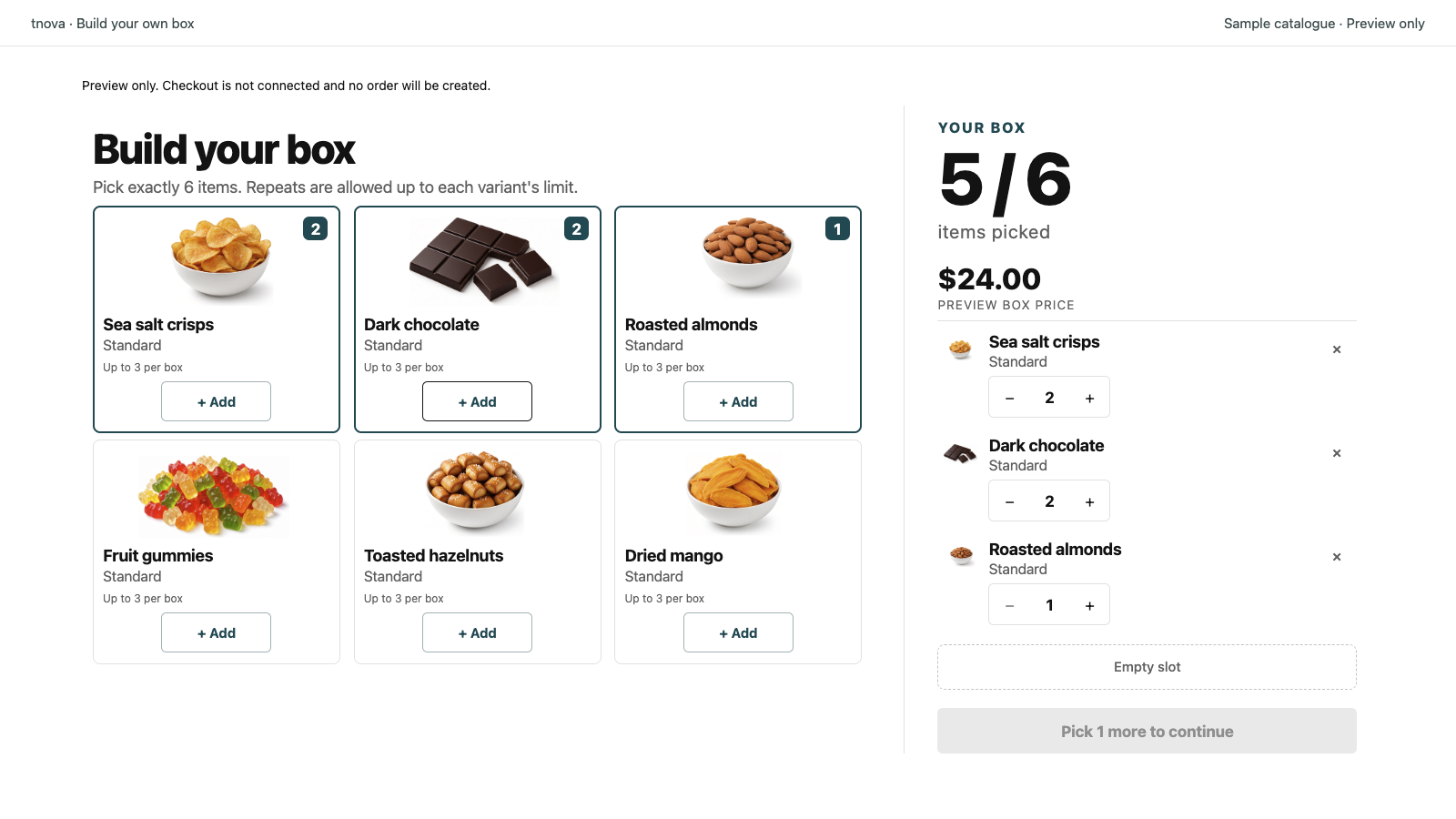
A build your own beer box on Shopify is a fixed-price mix-and-match offer: you choose which cans, bottles or multipacks are eligible, how many units fill the box, and one box price; shoppers pick within those rules. Beer merchants succeed when every candidate shares a clear unit story (same volume band and packable outer size), style mixing stays capped, and the densest glass or softest can mix still ships without crush or break. This guide covers assortment, unit sizing, pricing, crush and ship tests and holiday inventory—not alcohol licensing, age verification or carrier alcohol policies.
tnova: Build Your Own Box is a Shopify app for fixed-price, shopper-picked gift and beer boxes. It is currently in Shopify App Store review, so public installation is not available yet. Online Store only; no POS.
Why a build your own beer box fits mix-and-match
Beer gift shoppers already think in picks: IPA versus stout, sour versus lager, cans versus bottles, craft singles versus a sampler. A locked six-pack kit cannot capture that preference. A mix and match beer box can—if every candidate shares one unit story and weight, crush risk, glass break risk and style clash stay predictable.
Treat beer as its own assortment. Cans, glass bottles and multipacks pack differently than snacks or candles. Keep the offer focused on beer (and optional non-alcoholic alternatives only when they share the same unit and packing cell). For holiday themes beyond beer, see holiday gift box ideas for Shopify stores. For the general picker model, see build your own box on Shopify. Alcohol sales, age checks, destination restrictions and carrier rules are merchant-owned; publish only windows and destinations you can fulfill.
Building a beer candidate list
Curate first. Do not dump every SKU into the picker.
Keep a coherent beer mix
Aim for a pool that still feels like one beer gift when every slot is different. A practical mix often includes cans in a comparable volume and diameter band; glass bottles only when they share the same outer size and padding plan; multipacks (four-packs, six-packs, sleeved singles) only under a published unit rule; and non-alcoholic cans or bottles sized to the same volume band when your packing cell can hold them.
Exclude oversized growlers, oddly shaped bottles that will not nest in your divider, soft cardboard multipacks that crush under denser glass, or food add-ons that turn the box into a general gourmet kit unless you run a separate offer. Follow labeling, allergen and alcohol-marketing rules in your jurisdiction separately.
Define what one “unit” means
Beer assortments fail when one “item unit” means a 355 ml can and another means a four-pack sold as “one piece” without a shared size band. Decide a unit convention before you set required counts:
| Unit style | Works well when | Watch for |
|---|---|---|
| One can = 1 unit | Cans of similar volume, diameter and fill weight | Mixing tall slim cans with stubby bottles without a packing plan |
| One bottle = 1 unit | Bottles with similar height, diameter and glass weight | Mixing heavy bombers with light cans in the same cell |
| One multipack / sleeve = 1 unit | Packs with a fixed count and similar outer size | Soft cardboard that crushes under denser glass bottles |
| One small gift pack = 1 unit | Packs that fit the same volume and divider cell | Irregular gift sets that break the packing grid |
Publish the convention on the product page. Prefer one primary convention per beer gift box Shopify offer. If you mix cans and bottles, state how many of each style are allowed so shoppers cannot fill the whole box with the heaviest glass or the softest sleeve format.
Cap style repeats and plan stock
Per-variant limits stop one hyped limited release from filling every slot. Cap IPA, stout, sour, pastry or other high-demand styles separately if they are in the pool—and cap non-alc separately when it shares the same unit band. Otherwise a short-run SKU can crowd out the everyday mix and create boxes that are hard to restock mid-campaign.
Shopify tracks inventory at the component level. Plan stock against the combinations you allow, not only against a parent box title. Keep a buffer on bestsellers, and stage holiday or Peak Week beers with a clear end date. Shopify’s Help Center covers products (as of 2026-11-04).
Item count and fixed price for beer
Choose a required item count
Pick a count the packing bench can repeat every order. Many beer operators start with a mid-range count inside a 2–12 item-unit band (often four, six or eight cans or bottles) and test packing before they advertise the offer. Required count plus per-variant limits keep boxes comparable for packing and shipping. For size ladders across several boxes, see gift box size tiers.
Price one fixed box
Shoppers should see one box price before they open the picker, not a running sum of can or bottle retail prices. That is a fixed-price custom beer box.
Work from your own unit costs. Identify the highest-cost mix the rules still allow (including any allowed premium, limited-release or glass bottles inside the unit band), and set a box price that can absorb that mix after shipping and packaging. See how to calculate the highest allowed cost of a mix-and-match gift box. Do not invent margins or conversion rates.
If you evaluate tnova: Build Your Own Box after installation opens, stated scope includes boxes of 2–12 item units, up to 100 candidate variants per box, default market and currency only, one shared online fulfillment location, and Online Store only (no POS). Pricing on the site is one plan at $19.90 USD per store per month with a 30-day trial when installation opens—no free plan. The price does not rise with box sales. Public installation is not available yet.
Crush risk, weight, heat and holiday inventory
Treat volume, weight, crush, glass breakage, heat exposure and destination rules as operational constraints before you advertise the offer.
Test the worst-case mix
Build a few worst-case packs: all densest glass bottles, bottles next to soft can sleeves, all soft multipacks stacked without a rigid outer, and mixed cans with bottles using your planned dividers. Confirm the box still closes, cans and bottles nest as designed, glass does not knock glass without padding, soft cardboard does not crush under denser glass, and packed weight fits your rates. Drop-test a few packs on your own route profile when glass or soft multipacks are in the pool. Alcohol shipping eligibility and carrier acceptance are merchant decisions.
Enter accurate product weights in Shopify so checkout rates stay honest. Shopify’s Help Center explains shipment packaging and weights (as of 2026-11-04). Weigh your own candidates—do not invent numbers. For rate checks generally, see how to check shipping costs for a Shopify gift box.
Cold-chain and heat as merchant ops notes
Beer quality can suffer in prolonged heat or uncontrolled transit. Treat cold-chain and heat as your own fulfillment notes: choose carriers and windows that match how you ship, pack with insulation only when you have tested it, and avoid inventing temperature claims on the product page. State only what you can support. Licensing, age gates and destination bans remain merchant-owned.
Packing slips and fulfillment
Each paid order should name the exact can, bottle and multipack variants. Packers need component lines, not only a parent box title. Walk one full order from picker through packing slip before paid traffic. This section does not cover alcohol licensing, age gates, destination bans or certification—follow your jurisdiction and carriers.
Stage holidays and BFCM early
Beer gift demand clusters around holidays and Peak Week. Add seasonal candidates only when stock, packaging, crush handling and shipping windows are ready. Publish in draft, run packing and crush tests, then open paid traffic with lead time. State the last order date that still aims for holiday delivery—and only for destinations you can ship under your alcohol rules. Keep a buffer on bestsellers so style mix caps stay honest when Peak Week demand spikes. For cutoff wording, see gift box shipping cutoff. For Peak Week sequencing, see the BFCM gift box timeline. When a popular can or bottle sells out mid-campaign, decide hide-versus-oversell policy before Peak Week; see out of stock mix and match gift box.
Product page copy and pre-publish checklist
State the rules before shoppers start picking: what the box is, how many item units belong in it and what one unit means (can / bottle / multipack band), the curated beer list, any per-variant or style limit, and that the price is for the completed box. Do not invent stats. Do not promise features you do not ship (gift messages, scheduled launches, POS). Do not claim alcohol-shipping coverage or age-verification flows you do not operate.
| Check | Why it matters |
|---|---|
| Candidate beer pool | Coherent beer mix; packable; not the whole catalog |
| Unit convention | Can vs bottle vs multipack is clear |
| Style and format caps | Caps prevent one style or format from filling the box |
| Per-variant limits | Stops one SKU from dominating every box |
| Required item count | Boxes stay comparable for packing and shipping |
| Fixed box price | Shoppers see one amount before they pick |
| Cost ceiling | Highest allowed mix still fits your price |
| Component stock buffer | Bestsellers and seasonal beers cover allowed mixes |
| Crush / break / ship tests | Worst-case mix ships intact; cutoffs are merchant-owned |
| Heat / cold-chain notes | Only claim what your routes and packing support |
| Theme / test order | Picker through packed box on your live theme |
| Alcohol / age / destination | Merchant-owned compliance outside the picker |
Theme and cart behaviour varies. If you mention a cart drawer, verify it on that theme first. tnova’s cart drawer (Drawer mode) has been QA-verified on Dawn only—not on every theme.
FAQ
How is a beer box different from a wine or snack box?
A beer box focuses on cans, bottles and multipacks with clear unit and size rules. A wine box emphasises bottle and half-bottle glass bands; a snack box mixes foods and pantry items—and may include a can only when size matches the packing cell and your alcohol rules allow it. Keep beer candidates in one coherent gift story so packing weight, crush risk and expectations stay predictable.
Can cans and bottles sit in the same custom beer box?
Yes, if they share a published unit convention and you define how many of each format are allowed. Cap soft multipacks so shoppers cannot stack crush-prone cardboard under every denser glass bottle without a packing plan. Test the worst-case mix for crush and break before you advertise the offer.
How many units should a beer gift box include?
Choose a required item count your packing bench can repeat every order. Many beer operators start in a mid-range band inside 2–12 item units (often four, six or eight cans or bottles) and adjust after a packing and crush test. The right count still feels like a full beer gift without breaking weight, volume or picker time.
Who handles alcohol licensing, age checks and shipping restrictions?
The merchant. This guide covers assortment, unit sizing, fixed pricing, packing and storefront copy for a build your own beer box. It does not cover alcohol licensing, age verification, destination bans or carrier alcohol policies. Follow the requirements that apply in your jurisdiction, and only publish windows and destinations you can fulfill.
Is tnova available to install for a beer gift box Shopify offer?
Not yet. tnova: Build Your Own Box is in Shopify App Store review. Public installation is not available, and this article does not include an install link. When installation opens, pricing on the site is one plan at $19.90 USD per store per month with a 30-day trial—no free plan. Scope is Online Store only.
See a gift box in action
Try the sample picker with fictional products. It creates no cart or order.
Try the box builder