
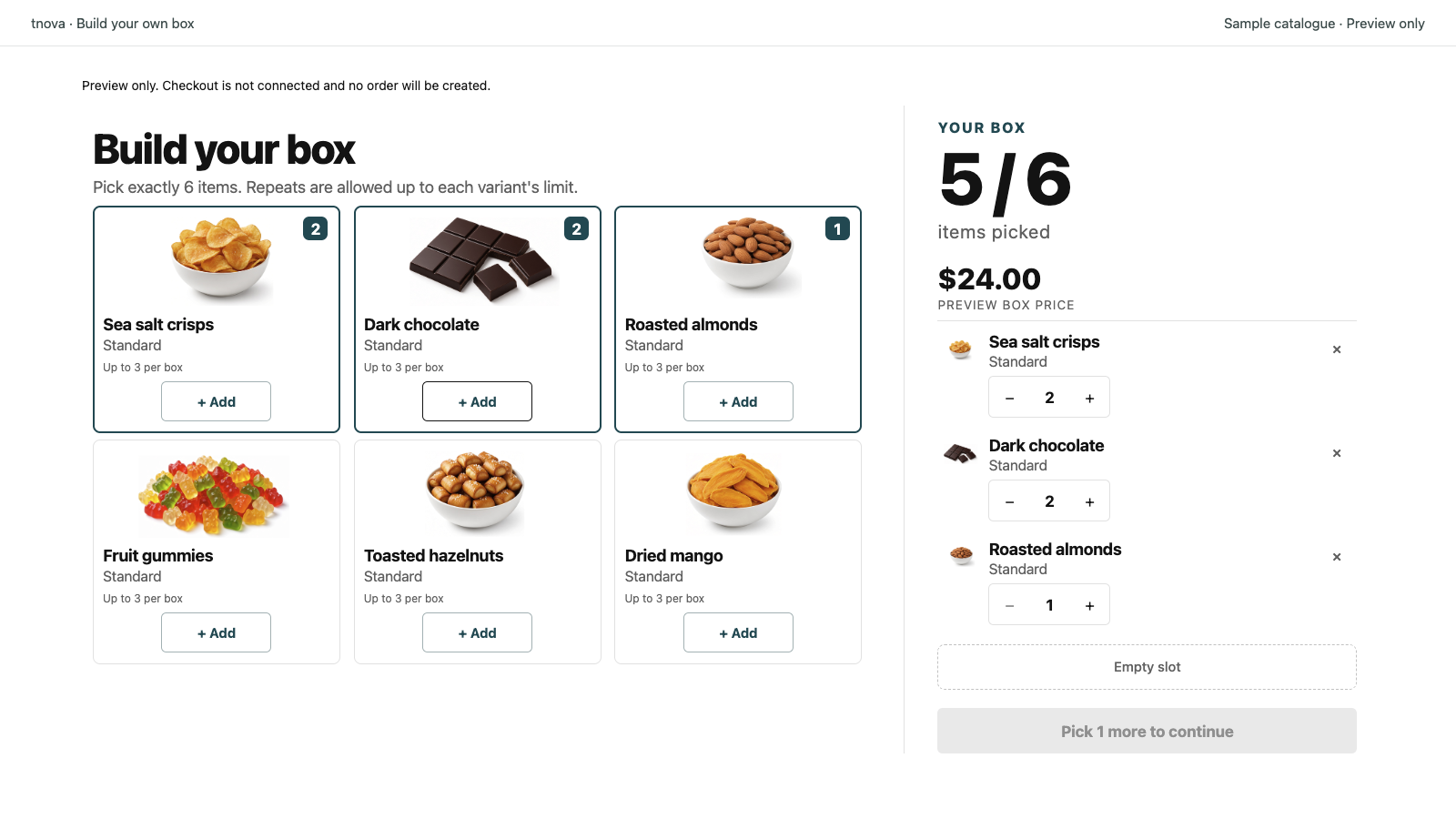
Corporate gift boxes on Shopify work best when one fixed box price covers a clear item count, and each recipient (or the buying company) fills the box within your rules. That mix-and-match shape fits client gifts, employee gift boxes, and bulk holiday sends without forcing every address to receive the same locked set. This guide covers catalog design, quantity rules, packing and fulfillment, a simple landing page, and timing before the holidays—operator steps you can run on Online Store.
tnova: Build Your Own Box is a fixed-price mix-and-match gift box app for Shopify Online Store. It is currently in App Store review, so public installation is not available yet. When installation opens, the stated plan is $19.90 USD per store per month with a 30-day free trial; there is no free plan. The subscription price does not rise with box sales.
Why corporate gift boxes Shopify merchants favour mix-and-match
A corporate buyer usually pays once and ships to many people: clients, staff, partners, or event guests. A single pre-filled SKU is easy to pack, but it ignores dietary limits, brand preferences, and “I already have that” fatigue. A fixed-price build-your-own box keeps one invoiceable unit price while letting each recipient pick inside your catalogue.
For the product-shape choice between a locked set and a shopper-filled box, see fixed bundles vs mix-and-match gift boxes. Shopify’s own product-bundles overview is in Help Center: Product bundles.
Corporate and B2B gift box Shopify workflows often split into two buyer paths:
- Self-serve on the storefront — the company (or each recipient with a code) builds boxes on Online Store and checks out.
- Merchant-assisted bulk — you quote by email or call, then create draft orders so the buyer pays one invoice while you control line items and shipping addresses.
Both paths need the same box design: one price, clear item count, limited variants, and packing sheets that list what went into each physical box.
Design the corporate catalogue before you set the price
Start with who receives the box, not with a holiday mood board. Keep only products that serve at least one brief:
| Brief | Typical constraint | Catalogue bias |
|---|---|---|
| Client / partner gift | Safe for mixed audiences; shippable nationally | Shelf-stable, non-perishable, neutral branding |
| Employee gift boxes | Inclusive of common diets; optional “fun” tier | Clear allergen labels; one “safe for most” group |
| Event / conference swag | Hard ship date; high volume | Fewer SKUs; packing-friendly sizes |
Curate enough choice that people feel they picked something, not so many that packing and stock become unmanageable. Practical assortment work is the same discipline as any mix-and-match box: fewer SKUs that pack well beat a long catalogue that warehouse staff cannot remember.
Operator checklist:
- Remove fragile or oversized items that break multi-address shipping or force custom cartons per order.
- Group variants (flavour, size, colour) so the picker stays scannable; name variants the way packing staff will read them.
- Mark allergens and dietary tags in titles or descriptions so buyers can choose without emailing support for every box.
- Decide what is in / out of season and publish a retirement date for holiday-only SKUs.
- Cap the candidate list so rules stay testable (for example under a hundred variants per configuration if your tool enforces that).
Price the box after you know the worst-case component cost. A fixed price that cannot cover the most expensive legal combination loses money on every “max out the expensive items” order. Work through a cost ceiling the same way you would for consumer boxes: price must cover the most expensive legal combination of components.
Quantity rules for bulk gift boxes Shopify campaigns
Corporate volume fails when rules are vague. Write rules packing, support, and the buyer can all repeat:
- Required item count — for example exactly 6 units. Corporate buyers prefer “exactly N” because purchase orders and gift budgets are usually round numbers.
- Per-variant limit — stop one person filling the whole box with a single SKU unless that is intentional.
- Groups — if you need “at least one food and one non-food,” encode that as groups rather than hoping people read the description.
- Tier ladder — offer two or three box sizes (for example 4 / 6 / 9 units) instead of many overlapping SKUs. A short size ladder is usually easier to sell and pack than many overlapping SKUs; see gift box size tiers.
For bulk gift boxes Shopify merchants often run alongside a consumer holiday box, keep the corporate configuration separate: different candidate list, different cover copy, different packing notes. Sharing one config between “shopper gift” and “HR bulk send” usually creates support tickets.
Test the rules with three scripted builds before you take a purchase order: cheapest legal box, most expensive legal box, and an edge case (allergens, out-of-stock substitute, maximum repeats). Those three packs become your warehouse training set.
Packing and fulfillment when one buyer means many addresses
Corporate programs break in the warehouse more often than on the product page. One paid invoice can still mean dozens of ship-to addresses, each with a different selection.
- One physical carton standard sized for the max item count of that tier.
- Pick sheet from component lines, not from the parent box title alone. The parent title tells finance what was sold; the components tell the packer what to put in. See how to pack Shopify mix-and-match gift-box orders.
- Address list hygiene before peak week: require a spreadsheet template and reject incomplete rows early.
- Batch by ship date, not by the day the invoice was paid. Many buyers pay early and ask for mid-December delivery.
- Returns and refunds policy stated up front for opened gift boxes and wrong-address sends paid by the company.
Shopify draft orders remain the documented admin path when the buyer is not checking out themselves: create the draft, attach the customer, add products, then collect payment or send an invoice (Creating draft orders). Keep Online Store as the channel for self-serve boxes; do not assume POS. If you also run consumer holiday boxes, label corporate sleeves and inserts so a consumer order does not receive the client insert by mistake.
Landing page and timing for B2B gift box Shopify offers
Corporate buyers need one focused page that answers budget, lead time, and how selection works:
- Who it is for — clients, employees, or both; state the box price and item count in the first screen.
- How selection works — fixed price; recipient or buyer fills within rules.
- Lead times and cutoffs — order-by / ship-by / deliver-by (set order-by, ship-by, and deliver-by dates your warehouse can keep).
- How to order bulk — self-serve checkout vs email a quantity + address list for a draft-order quote.
- What is not included — for example no POS pickup for this offer, no open-ended custom SKUs outside the published catalogue.
Write the product description with clear rules and plain language. Keep claims factual; do not invent margins or “typical corporate AOV.”
Work backward from the first promised delivery date:
| Week relative to first delivery | Action |
|---|---|
| −8 to −6 | Freeze catalogue candidates; run cost-ceiling check; order packaging |
| −6 to −4 | Publish draft box; three scripted test builds; packing SOP signed off |
| −4 to −3 | Landing page live; quote and address-list templates ready |
| −3 to −2 | Soft launch to existing B2B contacts; watch top-variant stock |
| −2 to cutoff | Hard cutoff for new corporate address lists; stop catalogue changes |
| After cutoff | Fulfill only; substitutions only per written policy |
Employee gift boxes often need an earlier HR approval cycle than client gifts—ask for that date on the first inquiry. After the season, pause or retire the corporate configuration so January shoppers do not land on a Christmas-only assortment.
Where tnova fits (facts only)
tnova: Build Your Own Box is built for fixed-price mix-and-match gift boxes on Shopify Online Store: you set one box price and the item-count rules; shoppers (or corporate buyers on the storefront) fill the box within those rules. Stated limits include 2–12 item units and up to 100 candidate variants per box, with rules rechecked before cart and checkout. Scope is Online Store only—no POS. Cart drawer support has been verified on Dawn’s Drawer mode; do not assume every theme.
Pricing when installation opens: $19.90 USD per store per month, 30-day free trial, no free plan, subscription price does not rise with box sales. Current status: in Shopify App Store review; public installation is not available yet. This article does not include an install link. Detail lives on the tnova features and home pricing pages.
tnova does not replace Shopify draft-order workflows for multi-address invoicing. Use the box product for the selectable unit; use Shopify’s order tools for quotes and invoices as documented in Help Center.
FAQ
What are corporate gift boxes on Shopify?
Corporate gift boxes on Shopify are gift-box products sold to companies for clients, employees, or events, fulfilled to one or many addresses. A practical pattern is a fixed-price mix-and-match box: one unit price, a required item count, and a curated catalogue so each recipient can choose within your rules.
How do bulk gift boxes Shopify merchants usually take payment?
Self-serve buyers can check out on Online Store. For quoted bulk or multi-address sends, merchants commonly create a Shopify draft order and send an invoice or collect payment in admin, as described in Shopify Help Center’s draft-order documentation.
Should employee gift boxes use the same SKU as consumer holiday boxes?
Usually no. Employee and consumer audiences need different copy, often different catalogues, and different packing inserts. Separate box configurations reduce support mistakes even when some component products overlap.
Can I use Shopify Bundles for a shopper-picked corporate box?
Shopify documents product bundles in Help Center, including first-party Bundles tooling with its own scope. Whether a third-party fixed-price picker and Shopify Bundles can share the same products is something you must verify on a test store; do not assume coexistence until you have tested it.
When should I freeze a corporate gift box catalogue before the holidays?
Freeze candidates once packaging is ordered and test builds pass—typically several weeks before the first promised ship date—then stop catalogue changes at your published cutoff. Earlier freezes help when HR or procurement approval adds extra calendar time.
See a gift box in action
Try the sample picker with fictional products. It creates no cart or order.
Try the box builder