
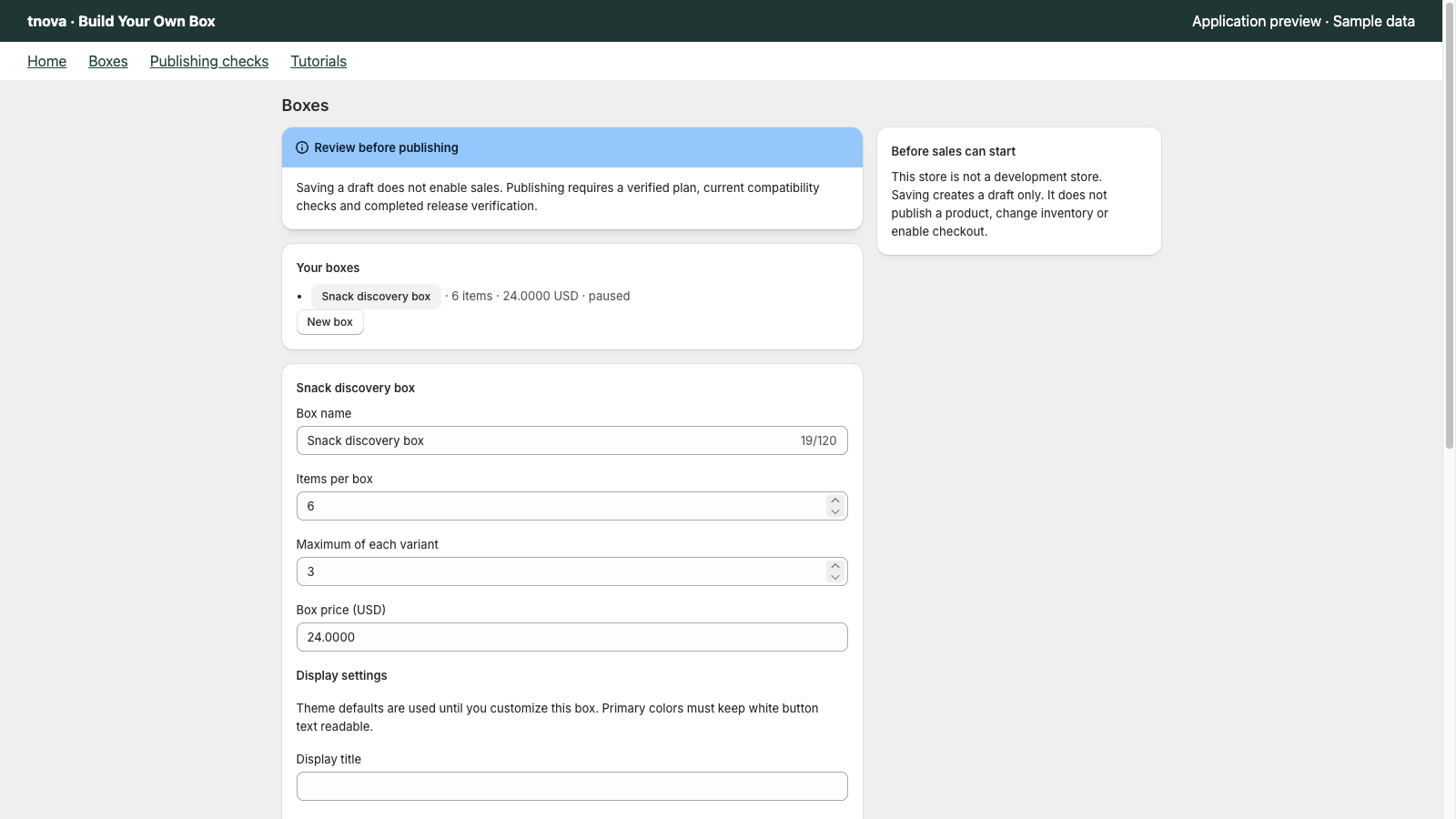
A build your own candy box on Shopify is a fixed-price mix-and-match offer: you choose which candies are eligible, how many units fill the box, and one box price; shoppers pick within those rules. Confectionery merchants succeed when unit sizes are comparable, the worst-case pack still ships, and allergen or ingredient labeling stays a merchant responsibility outside the picker. This guide covers assortment, unit sizing, pricing, packaging weight and holiday timing for a custom candy box Shopify setup—not food-safety certification or compliance claims.
tnova: Build Your Own Box is a Shopify app for fixed-price, shopper-picked gift and candy boxes. It is currently in Shopify App Store review, so public installation is not available yet. Online Store only; no POS.
Why a build your own candy box fits mix-and-match
Candy shoppers already think in picks: chocolate versus gummies, hard candy versus soft, a seasonal flavor or a classic. A locked starter kit cannot capture that preference. A mix and match candy box can—if every candidate fits the same physical unit story and the packed weight stays predictable.
Treat candy as a distinct assortment from snacks. Bars, chips and drinks create different packing patterns than wrapped chocolates, bagged gummies or counted hard candy. Keep this offer focused on confectionery so the gift story stays clear. For a snack-focused walkthrough, see build your own snack box on Shopify. For the general BYOB model, see build your own box on Shopify.
Building a candy candidate list
Curate first. Do not dump every sweet SKU into the picker.
Keep a coherent confectionery mix
Aim for a pool that still feels like one candy gift when every slot is different. A practical mix often includes:
- Individually wrapped chocolates or truffles in comparable sizes
- Soft candy (gummies, caramels) in a similar volume band
- Hard candy or mints that pack as counted units, not open bulk scoops
- Optional seasonal SKUs that fit the same box size and weight band
Exclude items that break the pack or the story: glass jars you cannot ship, oversized multipacks, or temperature-sensitive products you cannot fulfill year-round. This is not a food-law or allergen checklist. Follow labeling rules in your jurisdiction separately; the picker does not replace ingredient or allergen disclosures.
Define what one “unit” means
Candy assortments fail when one “item unit” means a single truffle and another means a 200g bag. Decide a unit convention before you set required counts:
| Unit style | Works well when | Watch for |
|---|---|---|
| One wrapped piece = 1 unit | Chocolates, small bars, sealed sweets of similar size | Mixing piece-count with bag-count in the same box |
| One sealed bag/pouch = 1 unit | Gummies, hard candy bags of similar volume | Bags that vary widely in weight |
| Counted scoop pack = 1 unit | You pre-portion bulk candy into sealed packs | Open bulk that packers must weigh per order |
Publish the convention on the product page so shoppers know whether they are picking pieces or pouches.
Cap repeats and plan stock
Per-variant limits stop one cheap or hyped candy from filling every slot. Without a limit, margin and variety collapse toward the same chocolate or gummy. Set a limit that still lets fans pick a favorite once or twice, then forces the rest of the box into other candidates.
Shopify tracks inventory at the component level for bundled offers. Plan stock against the combinations you allow, not only against a parent box title. Keep a buffer on bestsellers, and stage seasonal flavors with a clear end date. Shopify’s Help Center covers inventory and locations for how stock is managed across your store (as of 2026-10-30).
Item count and fixed price for candy
Choose a required item count
Pick a count the packing bench can repeat every order. Too low and the box feels thin; too high and weight, volume and picker time climb. Many confectionery operators start with a mid-range count inside a 2–12 item-unit band and test packing before they advertise the offer. Use your own packaging and SKU sizes—do not copy a count from another store.
Required count plus per-variant limits keep boxes comparable for packing and shipping.
Price one fixed box
Shoppers should see one box price before they open the picker, not a running sum of candy retail prices. That is a fixed-price custom candy box.
Work from your own unit costs. Identify the highest-cost mix the rules still allow, and set a box price that can absorb that mix after shipping and packaging. A step-by-step ceiling method is in how to calculate the highest allowed cost of a mix-and-match gift box. Do not invent average margins or conversion rates for this decision.
If you evaluate tnova: Build Your Own Box after installation opens, stated scope includes boxes of 2–12 item units, up to 100 candidate variants per box, default market and currency only, one shared online fulfillment location, and Online Store only (no POS). Pricing on the site is one plan at $19.90 USD per store per month with a 30-day trial when installation opens—no free plan. The price does not rise with box sales. Public installation is not available yet while the app is in review.
Packaging weight and holiday timing
A candy BYOB fails in the warehouse before it fails on the product page. Treat weight and volume as operational constraints.
Test the worst-case mix
Build a few worst-case packs: all dense chocolate, all soft bags, a seasonal multipack mix. Confirm the physical box still closes, void fill still works, and the packed weight still fits the shipping rates you intend to use before you advertise the offer. Melt risk and temperature control are merchant shipping decisions—document your own seasonal windows if chocolate softens in transit; this article does not prescribe food-safety or temperature certification.
Packing slips and fulfillment
Each paid order should name the exact candy variants. Packers need component lines, not only a parent box title. Walk one full order from picker through packing slip before you put paid traffic on the offer.
Fulfillment and inventory must stay in sync when shoppers compose different mixes. Shopify’s Help Center outlines fulfillment for how orders move from sale to ship (as of 2026-10-30). Use that as the platform baseline; your candy box rules sit on top of it.
This section is about packability and shipping ops only. It does not cover food labeling, allergen disclosure, shelf life, health claims or food-safety certification. Merchants should follow the rules that apply in their jurisdiction.
Stage holidays and BFCM early
Candy demand clusters around holidays. Decide year-round versus seasonal flavors. Add seasonal candidates only when stock, packaging and shipping windows are ready. Publish in draft, run packing tests, then open paid traffic with lead time for replenishment before Peak Week. State the last order date that still aims for holiday delivery. When a flavor ends, update the candidate list so the picker does not offer empty promises.
Product page copy and pre-publish checklist
State the rules before shoppers start picking: what the box is, how many item units belong in it and what one unit means, the curated candy list, any per-variant limit, that the price is for the completed box, and where shoppers can find ingredient or allergen information if you publish it. Do not invent stats, reviews or conversion claims. Do not promise features you do not ship (gift messages, scheduled launches, POS). Do not claim certification you do not hold.
| Check | Why it matters |
|---|---|
| Candidate candy pool | Coherent confectionery mix; packable; not the whole catalog |
| Unit convention | Piece vs pouch vs pre-portion is clear |
| Per-variant limits | Stops one SKU from dominating every box |
| Required item count | Boxes stay comparable for packing and shipping |
| Fixed box price | Shoppers see one amount before they pick |
| Cost ceiling | Highest allowed mix still fits your price |
| Component stock buffer | Bestsellers and seasonal SKUs cover allowed mixes |
| Packaging weight | Worst-case mix still closes and ships |
| Holiday cutoffs | Order dates match fulfillment capacity |
| Theme / cart test | Picker through add-to-cart on your live theme |
| Test order | One full order from picker to packed box |
| Labeling / allergens | Merchant-owned disclosures outside the picker |
Theme and cart behaviour varies. If you mention a cart drawer, verify it on that theme first. tnova’s cart drawer (Drawer mode) has been QA-verified on Dawn only—not on every theme.
FAQ
How is a candy box different from a snack box?
A candy box focuses on confectionery: chocolates, gummies, hard candy and similar sweets with a clear unit convention. A snack box often mixes sweet and savory pantry items or larger bags. Keep candy candidates in one coherent gift story so packing weight and shopper expectations stay predictable.
How many candies should a box include?
Choose a required item count your packaging and packing bench can repeat every order. Many confectionery operators start in a mid-range band inside 2–12 item units and adjust after a packing test. The right count is the one that still feels like a full candy gift without breaking weight, volume or picker time.
Who handles allergens and ingredient labeling?
The merchant. This guide covers assortment, unit sizing, fixed pricing, packing and storefront copy for a build your own candy box. It does not cover food labeling, allergen rules, shelf life, health claims or food-safety certification. Follow the requirements that apply in your jurisdiction.
How do I stop one popular candy from dominating every box?
Set a per-variant limit so a single candy can appear only a fixed number of times per box. Pair that with a curated pool that has real alternatives in the same unit and size band. Without a limit, assortment and margin drift toward the one SKU everyone picks first.
Is tnova available to install for a candy gift box Shopify offer?
Not yet. tnova: Build Your Own Box is in Shopify App Store review. Public installation is not available, and this article does not include an install link. When installation opens, pricing on the site is one plan at $19.90 USD per store per month with a 30-day trial—no free plan. Scope is Online Store only.
See a gift box in action
Try the sample picker with fictional products. It creates no cart or order.
Try the box builder